For teachers
How to run a school typing contest
Run it in two stages. In the qualifying week, each class holds a few class races and the teacher keeps each student’s best result at the accuracy floor. Then the top typists from each class meet in a live final on the big screen, all typing the same text. Set the accuracy floor before you start, 90% for younger students and 95% for older ones, and print certificates for the finalists and for personal bests.
On this page
A school typing contest gives students a reason to practice for weeks, and the final makes a lively assembly or end-of-term event. Many school contests run in two stages: a qualifying round in each class, then a final for the fastest typists. You can run both on TypingPractice.ai with class races, free and with no student accounts.
Plan the contest
Decide these before you announce it, and print them with the announcement:
- Divisions. Students compete against their own grade or a band of grades, such as 3 and 4, 5 and 6, and 7 and 8.
- The text. Everyone in a division types the same text. Pick one passage per division in advance, a little longer for older students, and don’t share it before the race. Our winter passages come in three lengths for three grade bands.
- The accuracy floor. A result counts only at this accuracy or better. 90% suits younger students and 95% older ones. In a class race you set it under Accuracy that counts.
- The dates. A qualifying week, then the final a few days later.
- The awards. First, second and third in each division, plus awards anyone can win, such as most improved.
The qualifying round
In each class, the teacher runs two or three class races with the division’s text and keeps each student’s best result at the accuracy floor:
- Start a class race, tick I run it from the front without racing, set Accuracy that counts, and choose Use your own text to paste the division’s passage.
- Run a practice race first, then the races that count.
- After each race, press Download results (CSV). The spreadsheet lists each student’s place, name, speed, accuracy and time.
- Keep each student’s best speed among the races they finished at the accuracy floor.
The top few in each class, or each division, go to the final. Choose the number so the final has no more than 60 racers, the most a class race takes.
The final
Hold the final on the big screen, with an audience if you can:
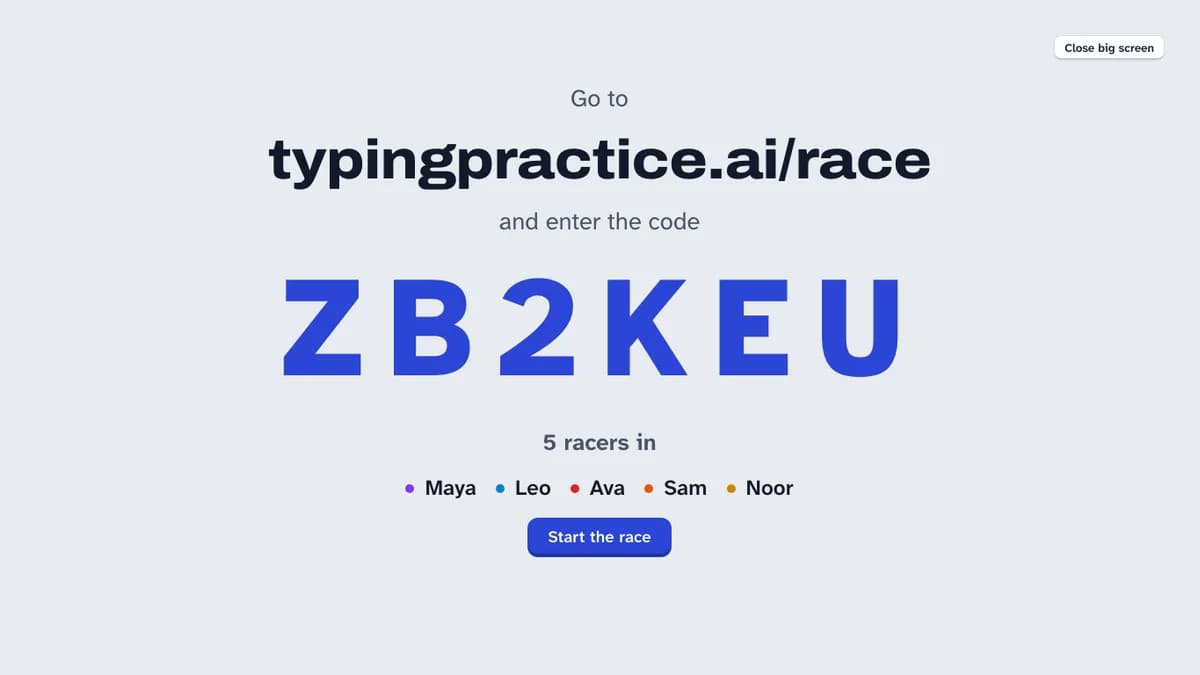
- Start a class race with the finalists only and press Show on a big screen. Finalists join with the code and their first name.
- When every finalist is in, tick Closed to newcomers.
- Paste a new passage for the final, one nobody has seen, and keep the same accuracy floor.
- Run one practice race, then the final. The big screen shows the clock and each finalist’s speed during the race, and the podium at the end.
- Download the results, then press Print certificates for a certificate for every finalist, with their place if they made the top three.
If the divisions race separately, run the final once per division with that division’s passage.
Keep it fair
- Same text, same rules. Everyone in a division types the same passage at the same accuracy floor.
- Every key typed. A wrong key counts against accuracy, and the racer has to type the right key before going on. Pasting doesn’t work in a race.
- The same kind of keyboard. Laptop and desktop keyboards feel different; let finalists use the computer they qualified on if you can.
- Ties. Decide them in advance. We suggest that if two typists finish within a second of each other, the higher accuracy wins.
- Accuracy before speed. A result under the floor doesn’t place, however fast it was.
Make it about everyone
A contest works best when every student has something to aim for, not only the fastest few:
- Give an award for the most improved speed from the first qualifying race to the last.
- Give one for the steadiest typist, the highest accuracy at the floor.
- Let staff join a race in the final. Students love to race their teachers.
- Print certificates for everyone who reached a personal best: our printable certificate has room for a name, a speed and an accuracy.
Frequently asked questions
Do students need accounts to take part?
No. Students join each class race with a code and a first name. Only the teacher running the race signs in, with Google.
How many students can race at once?
Up to 60 in one class race. For a whole grade, run qualifying races in each class and a final for the fastest.
What text should we use?
Something at your students’ reading level, the same for everyone in a division. Class races take your own text of 40 to 1,200 characters, or use passages from classic books. Plain text with no capitals or punctuation is easier for beginners.
How do we pick the finalists?
Use the spreadsheet from each qualifying race. Take each student’s best speed among the races they finished at the accuracy floor, and invite the top few from each class or division.